


WorkForce Pro WF-C879RTC Colour Multifunction Printer 4 trays A3 + (25PPM)
Original price was: $8,158.98.$5,404.98Current price is: $5,404.98.-34% OFF
WorkForce Pro WF-C879RTC Colour Multifunction Printer 4 trays A3 + (25PPM)
Multifunction Printer
Printer bundle with total 4 trays + Stand
Business Printers
- Low power consumptionEpson’s Heat-Free technology uses no heat, reducing energy consumption
- Less Waiting. More printing.Designed to boost productivity – with easy operation, cutting-edge performance and print speeds of up to ISO 25ppm
- Built for businessPrint up to 86,000 pages in mono or 50,000 in colour without changing supplies
- Powered by PrecisionCoreSimple. Smart. Clean. PrecisionCore is advanced printing technology engineered by Epson to power the world’s top performing printers
- Minimal User InterventionHigh yield consumables combined with PrecisionCore Heat Free technology ensures hassle-free operation for longer
- Works with Epson Remote Services Cloud-based, advanced diagnosis of Epson printers and MFPs
First-in-class Replaceable Ink Pack System* – print or copy up to 86,000 mono and 50,000 colour pages without changing the ink1
Rent, Lease, Buy
Contact us for best deal!
P: Call Now E: Request Quotation
In stock
Description
WorkForce Pro WF-C879RTC Colour Multifunction Printer 4 trays A3 + (25PPM)
KEY FEATURES & BENEFITS
-
- First-in-class replaceable ink pack system1 – print or copy up to 86,000 mono and 50,000 colour pages without changing the ink2
- High-quality output – brilliant colour accuracy and sharp black text
- Fast print speeds – up to 26 ISO ppm (mono), 25 ISO ppm (colour)3
- More prints, lower printing costs – Epson ink lasts up to 4.3 times longer4 than its competition to reduce staff distruptions and lower the overall cost of printing
- Productive – auto two-sided print, copy, scan, fax, plus auto media size detection
- Easy setup and IT features – seamless network integration, plus security features; PCL5 and PostScript® 3 support
- Flexible media handling – large-format prints — up to 13″ x 19″, plus 150-sheet rear feed for specialty media and paper sizes; up to 400 sheets total paper capacity
- Built-in networking and wireless performance – includes Ethernet, wireless b/g/n5 and Wi-Fi Direct®6; easily print from tablets and smartphones7
- Designed for use exclusively with Epson ink packs Printer supplied with Initialisation Ink Supply Units only. Yields achieved with replacement pack purchase.
- XL Black ink pack prints up to 86,000 pages. XL Colour Packs print up to 50,000 pages. Actual number of pages will vary. Replacement ink pack yields are based on testing with ISO/IEC 24712 patterns with Epson’s methodology in Default mode, printing continuously. Yields may vary considerably for reasons that include images printed, print settings, temperature and humidity. Yields may be lower when printing infrequently or predominantly with one ink colour. All ink colours are used for printing and printer maintenance. For print quality, part of the ink from the included cartridges or ink packs is used for printer startup and a variable amount of ink remains in the ink pack after the “replace ink pack” signal appears. Printer shipped with initial cartridges. Yields achieved with additional purchased ink packs.
- Mono and colour print speeds are measured in accordance with ISO/IEC 24734. Actual print times will vary based on system configuration, software, and page complexity. See www.epson.com.au/printspeed for details.
- 4.3 times more prints is comparing Epson high-yield inks (86,000 pages black / 50,000 colour) with the 20,000 page yield average of a competitor model in the top 7 highest selling A3 colour MFDs in the 21-30ppm speed segment in the Australian market (Source :IDC November 2019).
- Not all media types are supported for PCL printing.
- Wi-Fi CERTIFIED™; level of performance subject to the range of the router being used. Wi-Fi Direct® may require printer software.
- Most features require an internet connection to the printer, as well as an Internet- and/or email-enabled device. See www.epson.com.au/connect for a list of Epson Connect enabled printers and compatible devices and Apps.
Powerful & professional printer that drive productivity for business & Enterprise
The Epson WF-C879R workgroup printer enables offices to benefit from the increased productivity of a local distributed print fleet that requires minimal intervention, while providing predictable print costs.
Minimise Interventions
Thanks to this printer’s super-high-yield ink supply units maintenance is simple. Comparable laser printers will need new toners, sometimes as often as every 12,000 prints. The WorkForce WF-C879R deliver outstanding results with high capacity ink packs lasting up to 86,000 pages for mono, and 50,000 pages for colour.
Also, smaller capacity ink is available that can enable up to 20,000 printed pages in mono and colour. The supply units lead to low intervention and no time-wasting interruptions. Supplies management is made simple, supplies waste is greatly reduced and lower IT support costs are achieved.
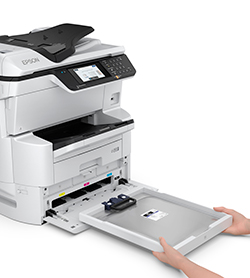

Built for Business
Heat-free PrecisionCore technology powers the output quality that Epson is known for, at the speeds required for office, commercial and industrial printing. Prints dry fast thanks to the DURABrite Ultra Pro ink. PDL printing emulations, including PCL and Adobe PostScript 3, and Gigabit Ethernet help this printer easily integrate into the business environment. Its Wi-Fi Direct® capability also lets you print from supported wireless devices without connecting to a router.
Energy efficent
The WF-C879R uses just a ¼ of the energy of a laser printer1 thanks to its no heat technology. No ozone gas is emitted, and an improved quiet print mode and no fan noise during or after printing make it ideal for the working environment. And there are fewer parts to replace than a laser.

PrecisionCore Inkjet Technology
Introducing heat-free PrecisionCore, the next generation of inkjet printing technology. From professional and industrial-level printers to your desktop inkjet, this groundbreaking technology delivers fast printing with superior quality results. A truly innovative system, PrecisionCore features Epson’s advanced thin-film piezoelectric (TFP) elements, which are produced via the MEMS manufacturing process, based on semiconductor micro-fabrication techniques. At the core of this proprietary technology is the PrecisionCore MicroTFP print chip, a digital chip that does not use heat to eject ink and prints at the micron level — 1/100th the size of a human hair. It’s this extraordinary focus on accuracy and detail that enables PrecisionCore to deliver revolutionary results, and no heat also means less power consumption, fewer consumables and less intervention, which saves you time and money.
High performance, low intervention
Keep your business moving with WorkForce Pro RIPS. Forget frequent time-wasting interruptions to change consumables, deal with supplies mis-management, fix problems or wait for IT support. Just concentrate on smooth, on-demand business printing.
Predictable print costs
Available as part of a Managed Print Service, WorkForce Pro RIPS printers can help to create a distributed printer fleet that both handles the demands of busy workgroups and delivers predictable print costs.
Hard Drive Included
The Hard Drive that comes standard with the WF-C879R enables a follow-me print solution (for up to 5 x WF-C879R devices) without the need for a 3rd party software solution (e.g. PaperCut) running off a network server. Epson Print Admin Server-less software facilitates this simple, cost-effective solution.
Proximity and security
The benefits of a distributed printer fleet include easy access, confidentiality and control, which all contribute to enhanced workflow. The local distributed print model is particularly useful where confidentiality and fast, direct access to prints is crucial. This includes senior management, legal and HR environments, and customer-facing staff like teachers, doctors, nurses and retail staff who can’t leave customers, patients or students while they go off to pick up prints.
Fast print speeds
Heat-free PrecisionCore technology ensures each nozzle on the print head delivers up to 50,000 droplets per second. The result? Fast print speeds that rival those of colour lasers. The WorkForce Pro WF-C878RTC delivers professional quality, two-sided colour prints at super fast print speeds, making it easy to increase productivity, without compromising quality. Boasting drastically improved print speeds of up to 26 ISO ppm (mono) and 25 ISO ppm2 (colour), any project can be handled with speed and ease.
Higher colour resolution vs. colour laser printers and versatility
Packing a greater number of nozzles into a smaller surface area, this high-resolution inkjet printhead, along with heat-free PrecisionCore technology, gives you ultra-sharp text, as well as stunning graphics and images — all with smooth gradations on both plain and specialty paper.
Ultra efficient paper handling and versatility
The WorkForce Pro WF-C879R boasts a total of 330 sheet capacity including an 150-page rear tray for envelopes, labels and specialty media for efficient paper handling.
Optional Convenience stapling
The WF-C879R has a stapling unit available for quick and simple assembly of printed documents.
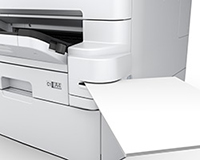
Convenience Stapling
Extremely durable prints
Heat-free PrecisionCore technology enables the use of advanced ink formulations, DURABrite®Pro Ultra Ink. This innovative, pigment based 4 colour ink set, along with heat-free PrecisionCore printing technology delivers smudge, fade and water resistant prints that are highlighter friendly too.
Laser-sharp black and colour text
Delivering perfectly round droplets and extremely accurate dot placement, these remarkable print heads ensure extraordinary output, whatever the application delivering brilliant, ultra-sharp text on plain and specialty papers.
Simple wireless connectivity
Connect to your wireless3 network in a snap — even the latest wireless standard, 802.11 n, is supported. No network? No problem. Wi-Fi Direct means no router is required1 enabling users to easily connect to wireless networks in seconds, allowing printing from virtually any room in the office.

Wired networking
Built-in Ethernet makes sharing the printer on your network quick and easy.
Productivity anytime, anywhere
Easily print from your tablet or smartphone using Epson Connect™. Supports Android™, Apple® iPad and iPhone, Chromebook™, Kindle Fire™, Mac® and Windows® devices. Wirelessly print documents, photos, emails and web pages whether at the office or on the go. You can also scan documents and save them to the cloud for easy access and collaboration.
Print from your iPad or iPhone
Apple® AirPrint™ makes it simple to print emails, photos, web pages and documents straight from your iPad or iPhone. There’s no software to download, no drivers to install and no cables to connect. Your Apple device will automatically connect to the printer.
Save energy, save paper
The WorkForce Pro WF-C879R includes features such automatic, two-sided printing whereby users can save up to 50% on paper supply.
- Comparing Epson WorkForce Enterprise WF-C20600 with 26 competitive laser devices (45 to 69 ppm A3 colour MFD segment) as at 1st September 2022 according to data from Keypoint Intelligence.
- Mono and colour print speeds are measured in accordance with ISO/IEC 24734. Actual print times will vary based on system configuration, software, and page complexity. See www.epson.com.au/printspeed for details.
- Wi-Fi CERTIFIED™; level of performance subject to the range of the router being used. Wi-Fi Direct® may require printer software.
| TECHNOLOGY | ||
|---|---|---|
| WorkForce Pro WF-C879R | C11CH35501 | |
| PRINTING TECHNOLOGY | PrecisionCore 4S printhead 4 Colour inkjet | |
| INK TECHNOLOGY | Replaceable ink pack system (RIPS) | |
| PRINTER LANGUAGE | Epson ESC/P® – R, PCL 5 emulation1, PCL 6 emulation1, PostScript 3 | |
| MINIMUM INK DROPLET VOLUME | 3 droplet sizes, as small as 3.7 picolitres | |
| ALL-IN-ONE-FUNCTIONS | Print, Copy, Scan, Fax | |
| CATEGORY | Workgroup | |
| PRINTING SPEED ISO/IEC24734 | 26 Pages/min mono, 25 Pages/min colour |
| DUPLEX PRINTING SPEED ISO/IEC24734 | 16 A4 Pages/min mono, 16 Pages/min colour |
| PRINTING RESOLUTION | 4800 x 1200 dpi |
| COLOURS | CYAN, BLACK, MAGENTA, YELLOW |
| COPY | |
|---|---|
| ISO COPY SPEED | Black 21 ISO cpm / Colour 21 ISO cpm |
| COPY QUALITY | Colour/Black and White : Standard/Best |
| COPY QUANTITY | 999 |
| MAXIMUM COPY SIZE | A3 |
| COPY RESOLUTION (dpi) | 600 x 1200 |
| REDUCTION / ENLARGEMENT | 25% ~ 400% Auto fit function |
| COPY FEATURES | Auto 2-sided, Preview, Resize, Collate, Adjustable copy density |
| PAPER HANDLING | |
|---|---|
| PAPER FORMATS | A3+, A3, A4, A5, A6, B5, C4 (Envelope), C6 (Envelope), No. 10 (Envelope), Letter, 10 x 15 cm, 13 x 18 cm, 20 x 25 cm, 16:9, Legal |
| AUTO DOCUMENT FEEDER | 150 pages |
| DUPLEX | Yes |
| OUTPUT TRAY CAPACITY | 250 pages |
| PAPER TRAY CAPACITY | 400 Sheet Standard, (Optional 3 x 500 sheet Trays can be added) |
| COMPATIBLE PAPER WEIGHT | 64 gsm ~256 gsm (Front Trays up to 200 gsm) |
| REAR PAPER PATH (SPECIAL MEDIA) | Yes |
| COMPATIBLE PAPER WEIGHT | 64g/m2 – 256g/m2 |
| SCAN | |
|---|---|
| SCANNER TYPE | Colour flatbed/Auto 2-sided ADF |
| PHOTOELECTRIC DEVICE | Colour CIS line sensor |
| SCAN SPEED | 50 ppm / 100 ipm (@300 dpi, A4) |
| OPTICAL RESOLUTION | 1200 dpi |
| HARDWARE RESOLUTION | 1200 x 2400 dpi |
| MAXIMUM RESOLUTION | 9600 x 9600 dpi interpolated |
| SCANNER BIT DEPTH | 30-bit colour input / 24-bit colour output |
| ADVANCED DOCUMENT INTEGRATION | E-mail, FTP, Network folders, Computer (Epson Document Capture Pro), Microsoft SharePoint with Epson Document Capture Pro, USB Memory Device / Card, Password Protected PDF’s, Address book via LDAP |
| FAX | |
|---|---|
| TYPE OF FAX | Walk-up black and white and colour capability |
| FAX TRANSMISSION SPEED | Up to 33.6 kbps / Approx 3 sec/page |
| PAGE MEMORY | Up to 550 pages / 6MB (ITU-T No.1 Chart) |
| FAX SPEED DIALS (MAX) | 200 names and numbers |
| FAX FUNCTIONS | PC-Fax, Fax to email, Memory reception, Auto redial, Speed dial |
| ERROR CORRECTION MODE | CCITU/ITU Group3 fax with Error Correction Mode |
| OPERATING SYSTEMS | ||
|---|---|---|
| PRINTER DRIVERS2 | Windows® 10 (32-bit, 64-bit), Windows 8.1 8 (32-bit, 64-bit), Windows 7 (32-bit, 64-bit), Windows Vista® (32-bit, 64-bit), Windows XP SP3 (32-bit), Windows XP Professional x64 Edition, Windows Server® 2012 R27, Windows Server 2019, 16, 027, Windows Server 2008 R27, Windows Server 20087, Windows Server 2003 R27, Windows Server 20037, Mac® OS X® 10.6.8 – 10.11.x8 Mac OS X Server8 | |
| ELECTRICAL SPECIFICATIONS | |
|---|---|
| RATED VOLTAGE | AC 100 ~ 240 V Universal (Automatic) |
| RATED FREQUENCY | 50 ~ 60 Hz |
| POWER CONSUMPTION | Approx. 54W Standalone copying (ISO/IEC 24712) Approx 1.6W (Sleep Mode) TEC Value: 0.27kWh |
| NOISE LEVEL | |
|---|---|
| NOISE LEVEL3 | Power: 6.6 dB(A) Pressure: 51 dB(A) |
| CONNECTIVITY | |
|---|---|
| STD CONNECTIVITY | Hi-Speed USB – compatible with USB 3.0 specification, Ethernet Interface (1000 Base-T/ 100- Base TX/ 10-Base-T), USB host, Wireless LAN IEEE 802.11b/g/n, Wi-Fi Direct |
| NETWORK PRINTING PROTOCOLS | LPR, FTP, IPP, LDP, Port 9100, WSD, Net BIOS over TCP/IP, TCP/IPv4, TCP/IPv6, IPSec |
| NETWORK MANAGEMENT PROTOCOLS | SNMP, HTTP, DHCP, BOOTP, APIPA, DDNS, mDNS, SNTP, SSDP, Ping, SLP, WSD, LLTD, IEEE 802.1X |
| CONTROL PANEL | 12.7cm LCD Touchscreen |
| WLAN SECURITY | WEP 64 Bit, WEP 128 Bit, WPA PSK (AES), WPA2 Enterprise |
| PRINTER SOFTWARE (AVAILABLE ON CD-ROM ONLY) | |
|---|---|
| SOFTWARE TOOLS | Epson Printer Driver PCL 5 Driver, PCL 6 Driver emulation, PostScript 3 |
| WARRANTY | |
|---|---|
| STANDARD WARRANTY | 12 Months (on-site) – Please refer to Epson Warranty Terms and Conditions |
| DIMENSIONS | |
|---|---|
| PRODUCT DIMENSIONS | 621 mm x 751 mm x 837 mm (Width x Depth x Height) – Printing |
| WEIGHT | 79.3 Kg |
| INK CARTRIDGES & YIELDS | |
|---|---|
| INK TYPE | DURABrite Ultra pigment ink (smudge, fade and water resistant) |
| INK PALLETTE | Cyan, Magenta, Yellow and Black |
| INK CARTRIDGE CONFIGURATION | 4 Individual Ink Packs |
| FADE RESISTANCE / PRINT LONGEVITY | Up to 118 years3 |
| INK YIELD INFORMATION | |
|---|---|
| CAPACITY YIELD4 | LARGE – B100 Black, (86,000 pages) B200 Cyan, B300 Magenta, T974 Yellow (50,000 pages) STANDARD – A100 Black, A200 Cyan, A300 Magenta, A400 Yellow (20,000 pages) |
| This printer is designed to function only with genuine Epson ink cartridges and not with third party ink cartridges. The printer may not function properly or at all if you use third party ink cartridges. |
- NFC requires use of a device that includes NFC, and may require additional software.
- Drivers if available are downloadable from Tech Epson.
- Display permanence based on accelerated testing of prints displayed under glass in indoor display conditions; album permanence based on accelerated testing of prints in dark storage conditions. Actual print stability will vary according to media, printed image, display conditions, light intensity, temperature, humidity and atmospheric conditions. Epson does not guarantee the longevity of prints. For maximum print life, display all prints under glass or UV filter or properly store them.
- According to ISO/IEC24734 test suite. Click here for details on ISO testing. (PDF)
WorkForce Pro A3 Printer Brochure – LINK here
VIDEOS

Epson Heat Free Technology
Infographic video outlining the benefits of business printers powered by Epson Heat-Free Technology
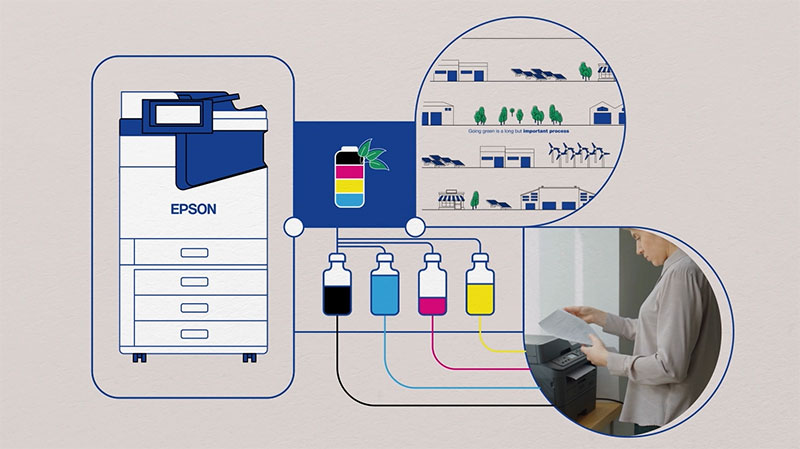
Epson WorkForce – More Sustainable
See how the Epson WorkForce range helps you save energy, cut waste and reduce costs.
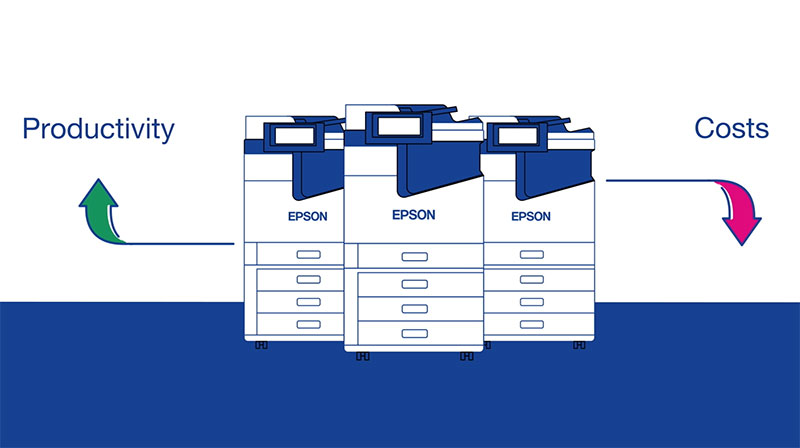
Epson for Healthcare and Education
Epson business printers and copiers are particularly suited to driving operational efficiency in healthcare and education settings.

WorkForce Pro WF-C878R / WF-C879R
A breakdown of key product features, benefits and applications
Specifications
| Weight | 63 kg |
|---|
